Remove Watermark from Video
Upload a clip and erase watermarks, logos, text and timestamps in seconds. AI rebuilds the pixels behind the mark — no mosaic blur, no cropping, no install.
- MP4 · MOV · WEBM · AVI
- Up to 500 MB / 30s
- No watermark on export
How to Remove Watermark from Video in 3 Steps
The fastest way to remove a watermark from a video online — right in your browser.

Upload your video
Drag and drop the clip that has the watermark, logo or text you want to remove. Kinoify accepts MP4, MOV, WEBM and AVI files up to 500 MB and 30 seconds — no account needed for the free pool.

Let the AI remove it
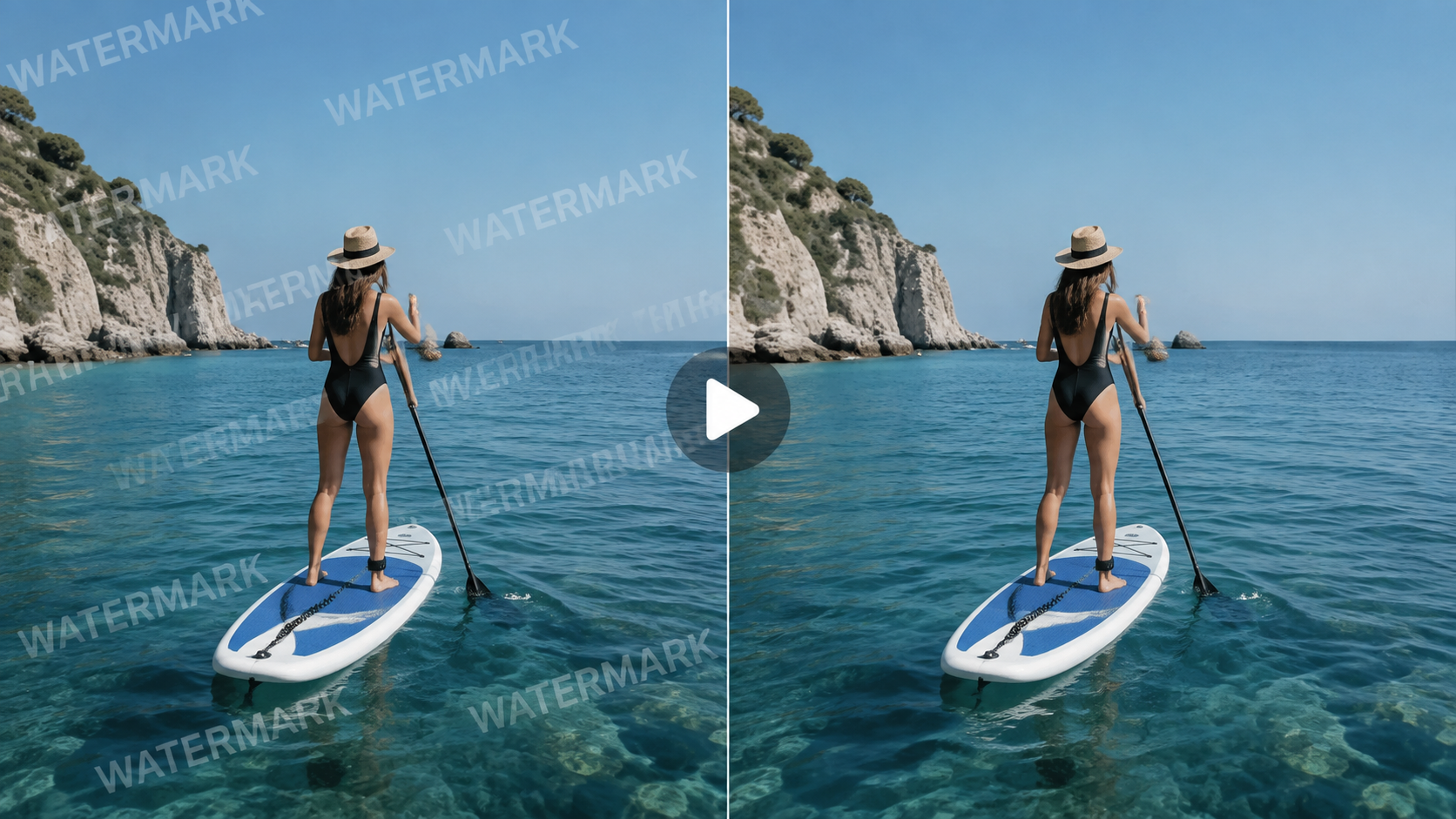
Kinoify's AI detects the watermark and reconstructs the background behind it across every frame — no manual masking, and it clears the whole video, not just a single still.

Preview & download
Run the removal, scrub the before/after preview to check the result, then download your clean video. The watermark is gone and the rest of the footage stays sharp.
Clean Results Without Mosaic Blur
Most "watermark removers" just smear a blurry box over the mark or crop it out of frame. That looks fake and can ruin the shot. Creators recycling B-roll, marketers fixing agency exports, and editors cleaning stock previews all hit the same wall: a smudge that screams "edited."
Kinoify uses generative inpainting: the AI studies the pixels around the watermark across neighbouring frames and reconstructs the background that should be there. The result is a clean, natural area — no mosaic, no smudge, no black bar — while the rest of the video keeps its original quality. You stay in the browser; nothing to install, and exports never carry a Kinoify mark of their own.
Logos, Text, Timestamps & Stickers
If it sits on top of your footage, Kinoify can rebuild it away.
Brand & channel logos
Corner station logos, channel watermarks and creator branding burned into the picture.
Text & captions
Hard-coded subtitles, headlines, timestamps and any overlay text you no longer want.
Timestamps & date stamps
Camera date/time stamps and surveillance-style corner overlays.
Platform floating watermarks
The floating logos stock and social platforms add to previews and exported clips.
Stickers & graphics
Stickers, emojis, banners and small graphics placed on top of the footage.
Supported Video Formats, Sizes & Length
Formats
MP4, MOV, WEBM and AVI — the formats your phone, camera and editor already export. Upload straight from CapCut, Premiere, Final Cut, or a phone screen recording without converting first.
File size
Up to 500 MB per file. Longer footage can be trimmed or split into segments under 30 seconds, then stitched back in your editor after cleanup.
Length
Up to 30 seconds per removal pass. After the shared free pool, billing is 1 credit per second — a 15s clip costs 15 credits once the free allowance is gone.
Free to Use, Clear Limits
No hidden traps. Here is exactly what you get for free and when you would need credits.
Daily free pool
Shared 200 seconds per day across all users. Clips ≤30s. After that, 1 credit per second.
Sign up?
Not required for the free pool. Sign in only for credits after the pool runs out, or to keep job history.
Export watermark
Kinoify never adds its own watermark to your exported video — clean output on free pool and paid alike.
Watermark Removal FAQ
How to remove watermark from video for free?
+
Upload a clip up to 30 seconds and run the AI removal — no signup for the shared free pool. Kinoify shares 200 free seconds each UTC day across all users. When that pool is used up, sign in; each second then costs 1 credit.
Can I remove watermark from video without blur?
+
Yes. Instead of smearing the area with a mosaic or cropping it out, Kinoify's AI reconstructs the pixels behind the watermark from the surrounding frames, so the region blends naturally and there is no visible blur box.
How do I remove a watermark from a video on CapCut?
+
CapCut can only hide a watermark by covering or cropping it. For a clean result, export the clip from CapCut and upload it here: the AI rebuilds the watermarked area, then download the cleaned video and re-import it into CapCut.
Does removing a watermark reduce video quality?
+
The area around the watermark is regenerated, so it stays close to the original resolution. Because we inpaint the background instead of blurring or downscaling, the rest of the video keeps its quality and the removed region looks seamless.
What video formats and sizes are supported?
+
Kinoify supports MP4, MOV, WEBM and AVI — files up to 500 MB, and each clip must be 30 seconds or shorter. Longer projects can be split into segments.
Do I need to sign up or pay?
+
No signup is required to use the shared daily free pool. Sign in only if you want credits after the free pool runs out, or to keep a history of jobs. After the free pool is gone, removal costs 1 credit per second — buy credits on the pricing page.
Can I remove a watermark from the whole video, not just one frame?
+
Yes. The AI tracks and reconstructs the watermarked region across all frames, so the watermark is removed from the entire clip rather than a single still image.
Is it legal to remove watermarks from someone else's video?
+
You should only remove watermarks from videos you own or have permission to edit. Watermarks often indicate copyright or licensing, and stripping them from content you do not have rights to may violate copyright law or a platform's terms. Kinoify is intended for your own footage, licensed material, and content you have explicit permission to modify.